September 14, 2026
Highlights
Keep a useful conversation moving: turn it into scheduled work, bring a teammate into the document, or connect the service you need for the next step.
- Put recurring work on the schedule. Routine management from chat, calendar bookings, and spending controls are starting to roll out. Describe the task and timing, keep an eye on upcoming runs, and return to the results when they are ready.
- Work on a document together, then take it with you. Invite Viewers and Editors to a canvas, make changes in a private draft, and review before applying them to the shared document. Export the result as an editable Word document when it is ready to use elsewhere.
- Connect your team's tools with less setup. The expanded connector catalog continues to roll out progressively, organization by organization. As connectors become available, admins get simpler setup and grouped tool controls, while members can enable a configured connector from chat.
There is more below, including the new homepage starter galleries, a smoother first build, and clearer chat activity. Availability depends on your organization's rollout, settings, permissions, and plan.
New features
Set up recurring work in the conversation
You can now ask Devs.ai to create and manage routines directly from a regular chat or an agent chat. Describe what should happen and when, then refine the schedule, task, and available settings in the same conversation.
Ask to inspect a routine, pause or resume it, change it, delete it, or run it now. You can also review its run history and open results you have access to. A manual run can start even while the schedule remains paused.
When a conversation suggests a task you might repeat, chat can offer Make this a routine? Choosing Set up routine starts the conversation about timing and settings. The offer itself schedules nothing, and you can dismiss it.
Try it: “Every Monday at 9 a.m. Toronto time, have my research agent prepare a short industry update with sources.”
Routine management from chat is rolling out progressively to organizations with Routines enabled. Calendar and spending options are available where those capabilities have also been enabled.
Book an agent and set a spending allowance
The new Calendar in Routines lets you book work for a specific date, time, and time zone, either once or on a recurring schedule. Switch between month and agenda views, filter by agent, and inspect upcoming work alongside recorded runs. On phones, the calendar starts in agenda view.
Add an optional spending limit per run and choose whether to receive an email when the work finishes or stops. New bookings start with an adjustable $2 USD allowance; existing routines keep their current settings. Run History shows recorded spending, the allowance, the outcome, and a link to available results.
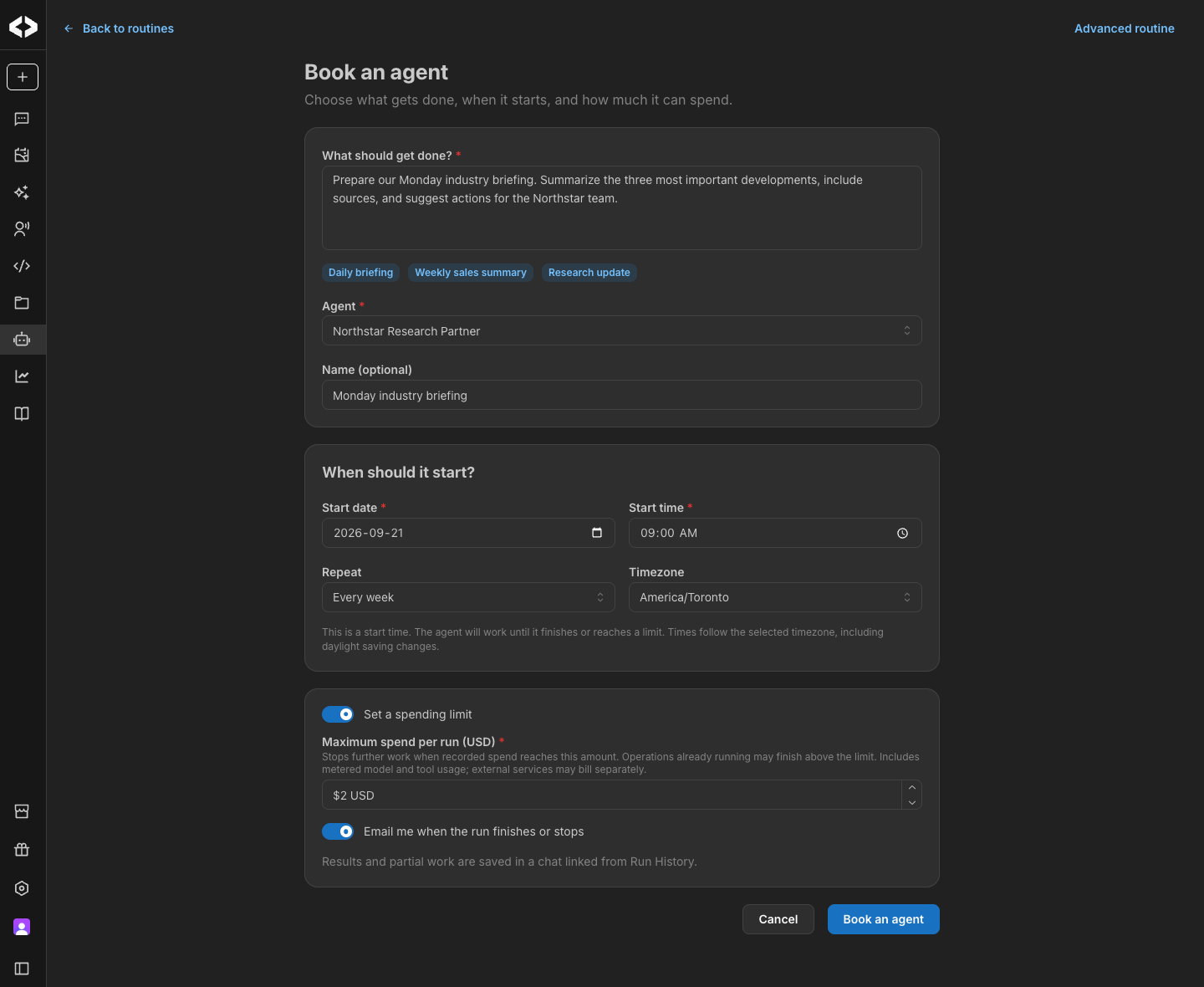
When recorded spending reaches the allowance, further paid work stops. Operations already running may finish above it, and external services may charge separately. A spending stop leaves future scheduled runs active, each with its own allowance, and any partial results remain in the run's chat.
The calendar opens with your own routines and runs. Admins with organization-level access can select Show organization routines to inspect the broader schedule. The organization view is optional and resets when the page is opened afresh.
Calendar bookings and spending controls are rolling out progressively to organizations with Routines enabled.
Work on a canvas with your team
Bring colleagues into a document while keeping each person's drafting conversation private.
Canvas owners can invite named Viewers and Editors. Editors work in a private draft, ask the AI for changes, and review the differences before choosing Apply. Prompts and AI replies stay in the person's own chat; only the document changes they apply become shared.
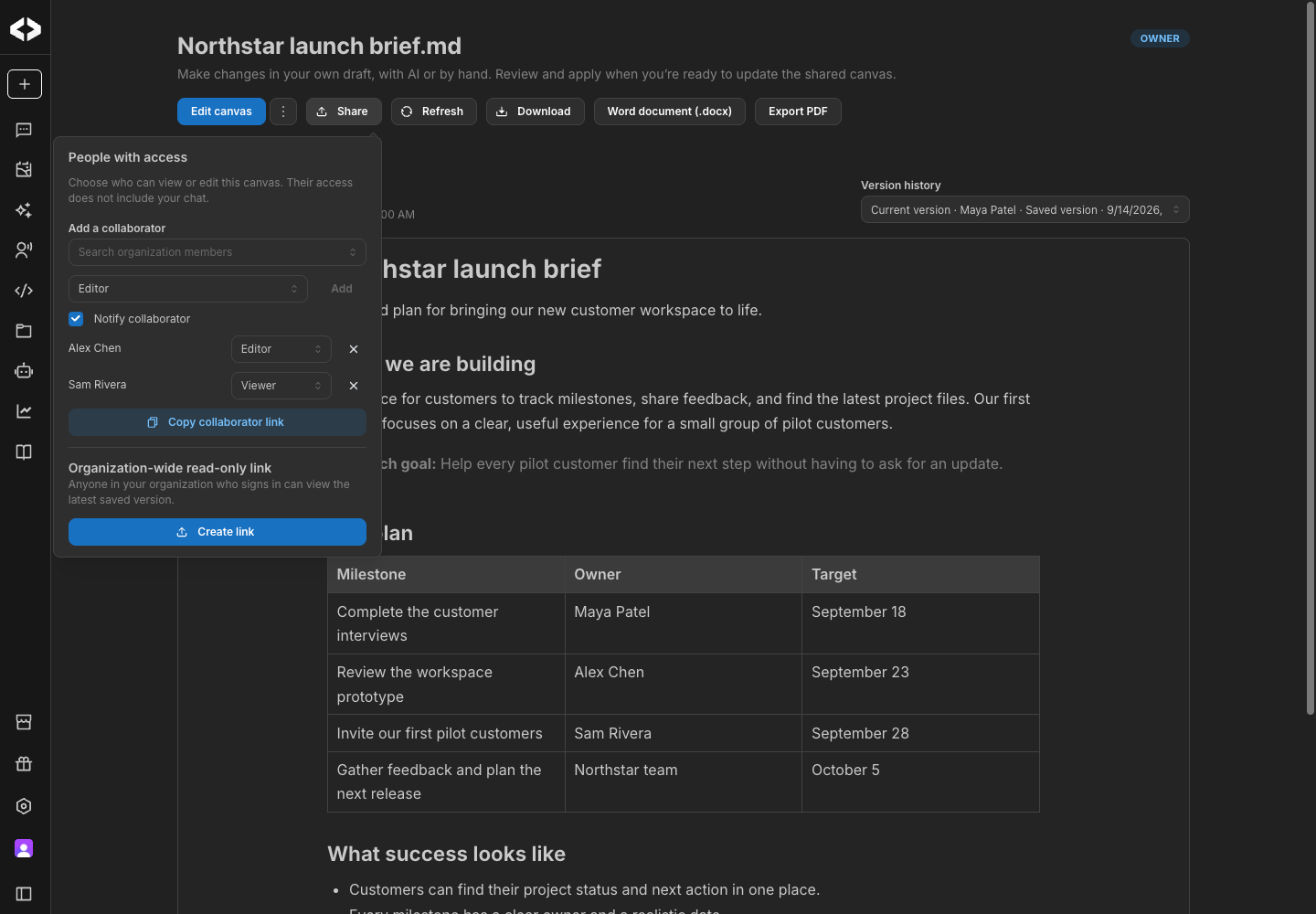
Collaborators find their documents under Library → Shared with me, with their role shown on the card. Owners can see which documents they have shared. Invitations can send an email with a direct link, and sharing notifications can be managed in account settings.
Shared updates appear in open canvases without a full page reload. Manual edits save after a short pause, and refreshes preserve work you are still editing. New document history identifies the creator, and conflicting changes cannot silently overwrite a newer shared revision.
Named collaboration is available where canvas sharing has been enabled. Existing organization-wide view links continue to work separately.
Keep editing your canvas in Word
Choose Export → Word document (.docx) to take a canvas into Word or Pages. Export is available from chat canvases, collaborative documents, and organization share links, according to your access.
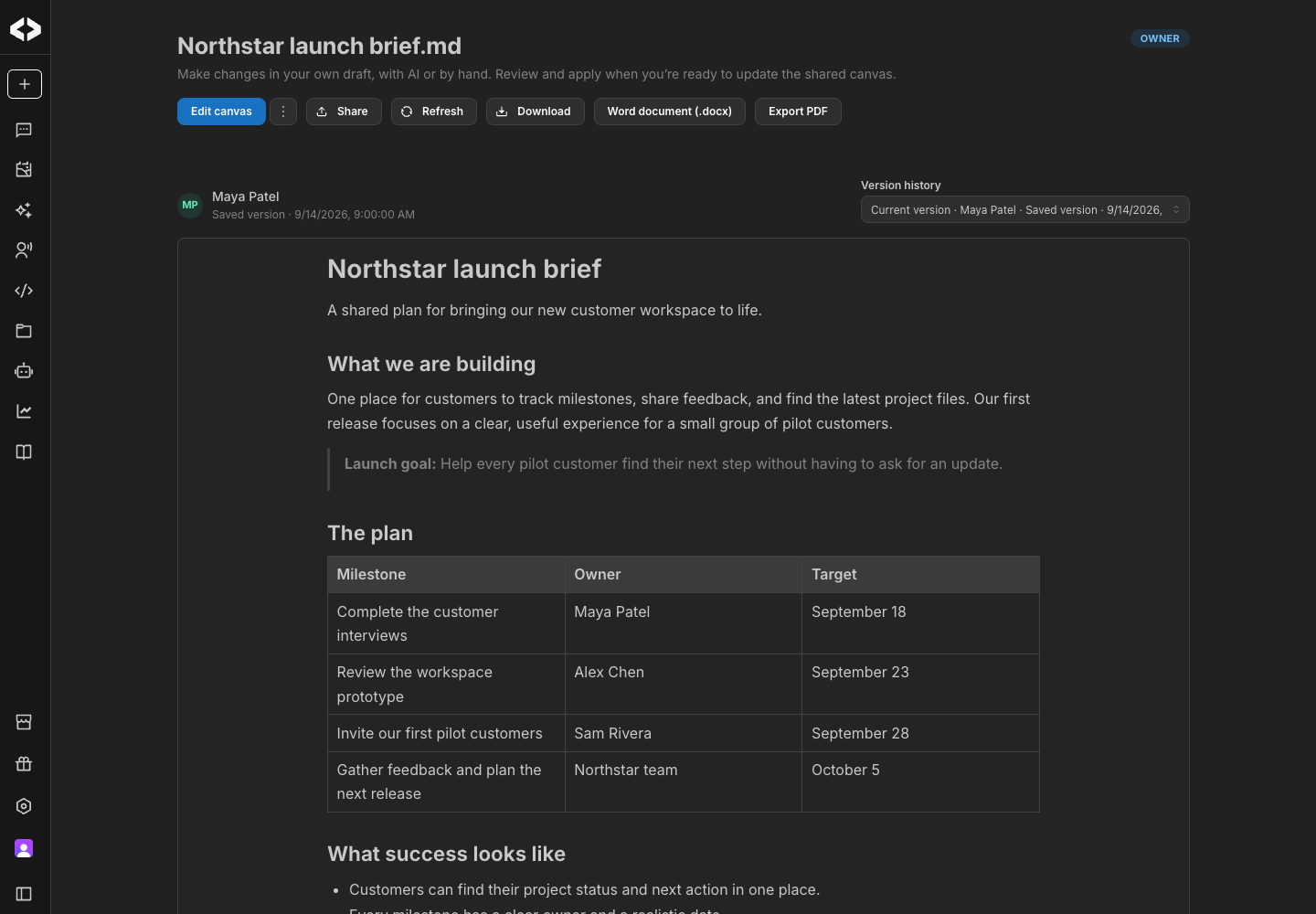
Text, headings, lists, links, colors, highlights, and tables stay editable. Images, charts, and diagrams travel with the document as embedded images. Exporting from the editor includes the changes currently in the canvas, including edits you have just typed.
If you ask chat for a Word copy of an existing canvas, it can point you to this export control. You start the download from the document you already have.
Enable the connectors you need with fewer steps
The expanded connector catalog is rolling out progressively, organization by organization. More connectors will become available over time, so the catalog you see may differ from another workspace's. These improvements apply as the relevant connectors reach your organization.
In organization settings → Connectors, ready-to-use connectors now open with a compact enablement flow. Required configuration appears when needed, while Configure keeps optional settings within reach. Newly enabled connectors default to being available in chat, and existing preferences are preserved.
Admins can still choose individual sign-in or a shared connection for the organization, according to the connector's supported authentication methods. Managed connectors no longer ask for an unnecessary server URL.
Tool permissions are grouped into Read, Write, Delete or overwrite, and Unclassified, with controls to enable or disable a whole group. You can still review individual tools, including those for which the provider has not supplied enough information to classify.
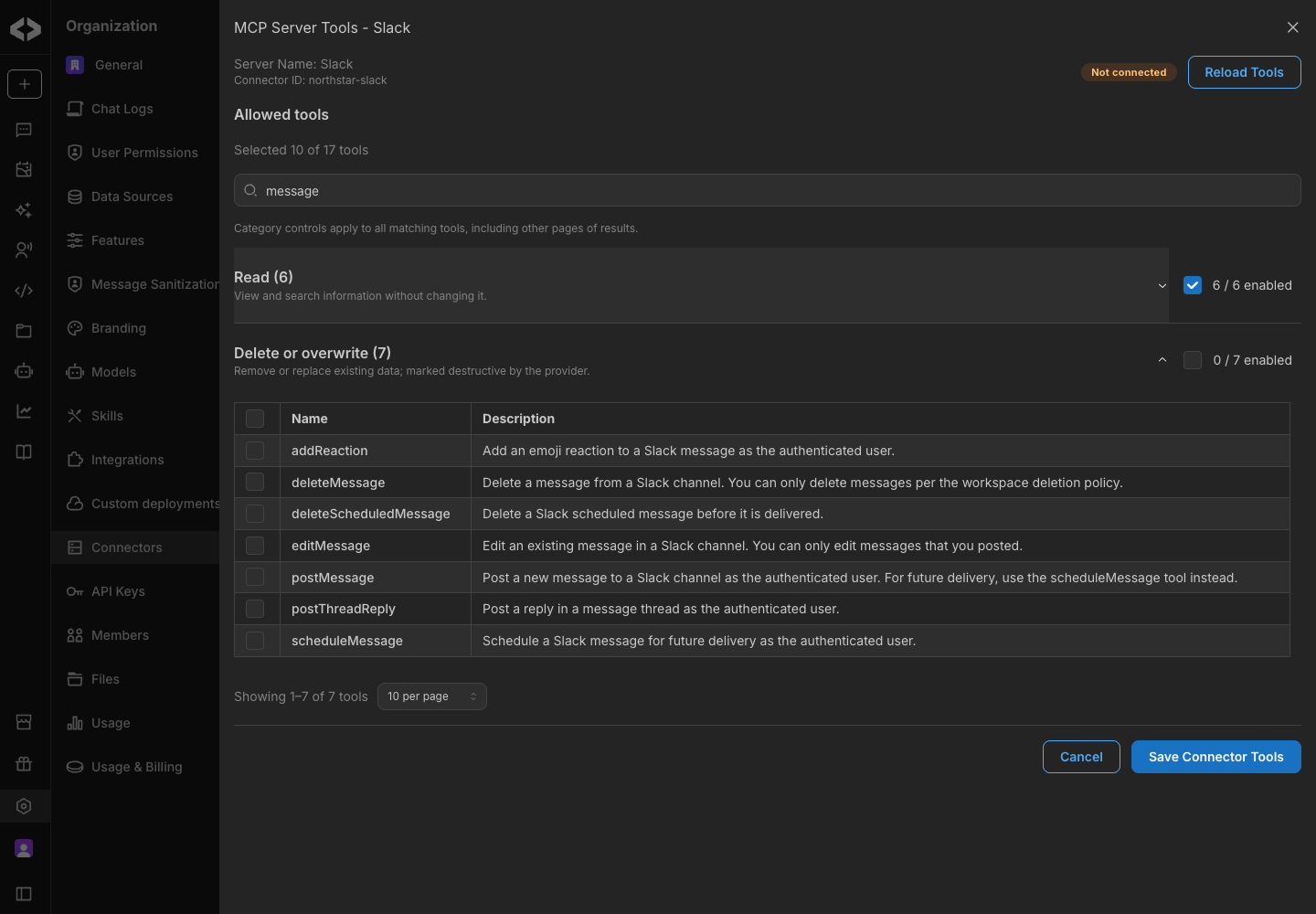
In regular chat, a connector that your organization has configured but you have not selected can appear with Enable in chat. Complete sign-in if needed, and it joins your selection for the next message. Saved-agent chats continue to use the tools configured for that agent. The connector picker also supports category filtering alongside search.
Start with an idea on the new homepage
The homepage now puts the build prompt at the center of the first screen, with a calmer palette and animated preview galleries for Apps, Websites, and Presentations. Select an example to fill the prompt with a starting idea you can edit, or write your own and choose Try free.
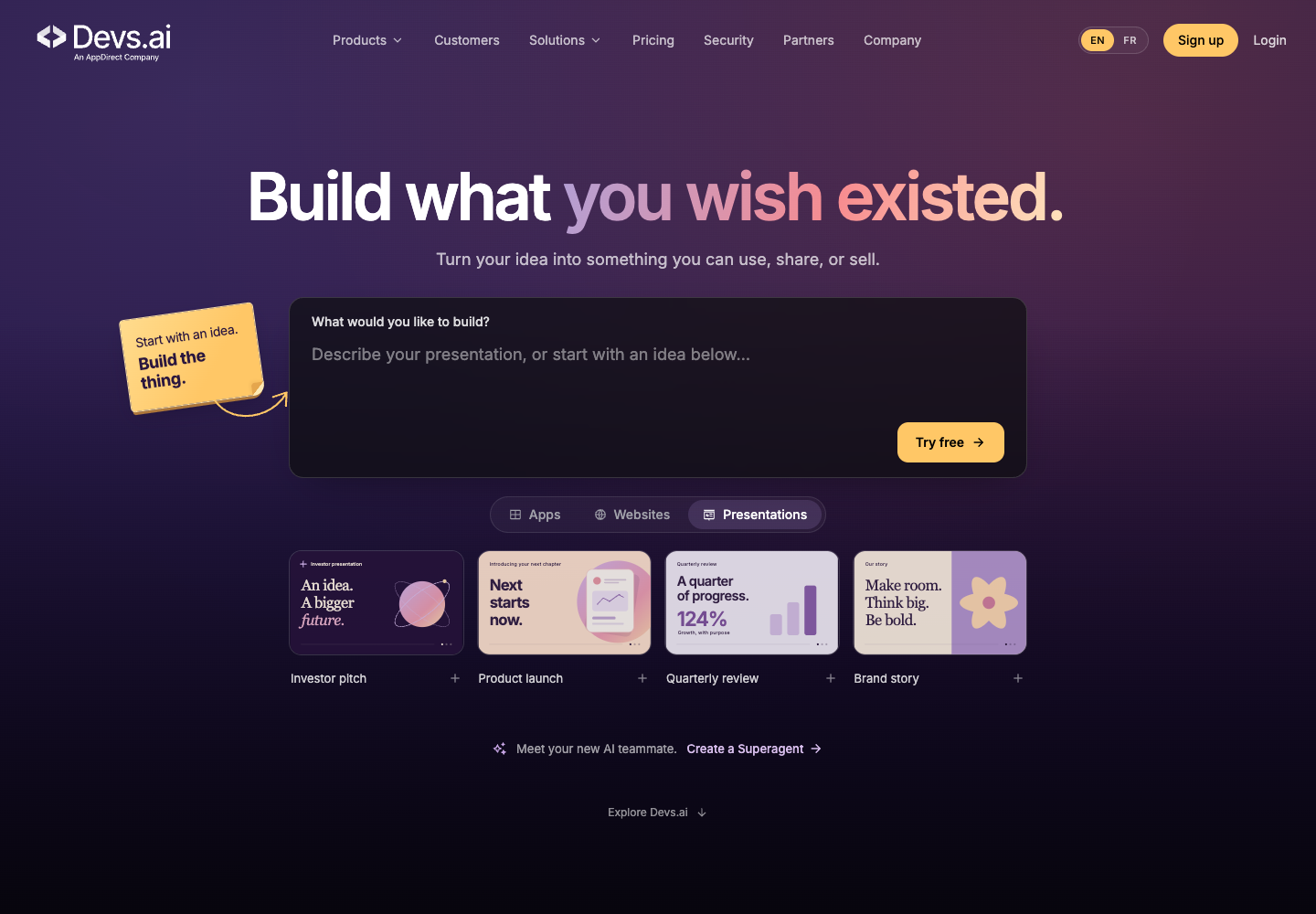
Where anonymous App Builder access is enabled, submitting a prompt moves straight into workspace setup and then the builder. The prompt survives a first visit, and signing up carries your guest apps and chats into the new account's organization. Where signup is required, the prompt is preserved through that step too.
Guests see the full navigation and composer options, with signup prompts for features that require an account. Guest usage limits still apply.
Improvements
- A quieter view of chat progress. Where the updated activity view is enabled, one expandable row follows thinking, tool use, and writing, with clear states for stopped work, errors, and requests for your input. Sources, approvals, and browser actions remain accessible.
- Less waiting in connector settings. Setup information loads with the connector list, so opening a drawer avoids a second wait for the catalog.
- A clearer way to connect search sources. Enterprise Search offers a Connect action when an available managed source still needs your authorization.
- More readable navigation and files. Long project filenames leave room for status labels, settings menus scroll on smaller screens, and chat controls fit more neatly beside the canvas.
- Steadier App Builder sessions. Saved versions restore more reliably, and build summaries remain readable when returning to longer conversations.
Bug fixes
Bug fixes improve connector reliability, canvas collaboration, document exports, attachment handling, and chat stability. We also resolved display issues on the homepage.